Product Description
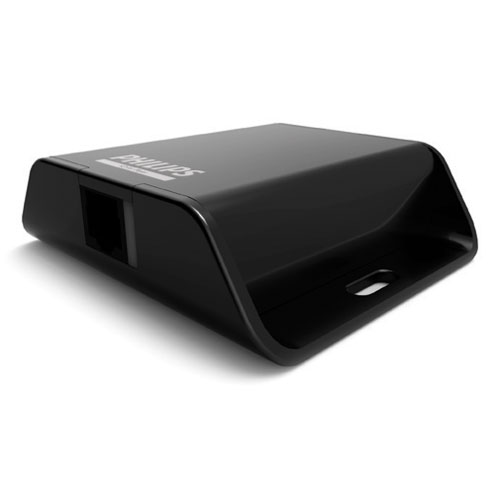
iColor Player
iColor Player is a simple, highly compact, and affordable DMX control solution. iColor Player can control a full universe of 512 DMX channels, and can play one of six configurable effects or a show authored in ColorPlay 3, the timeline-based light show authoring software from Philips Color Kinetics.
- iColor Player starts playing its light show as soon as power is applied. Shows automatically loop, with no triggers or additional configuration required.
- Use ColorPlay 3 light show authoring software to select from six effects, adjust effect settings such as color, speed, and brightness, and download to iColor Player.
- Use the fully customizable effects, multi-track editing, timeline layering, and transition styles in ColorPlay 3 to create a light show for a single DMX universe, then download and play the show using iColor Player.
- Use the included USB cable to download effects and light shows from a computer running ColorPlay 3, then plug the cable into the included USB power supply to apply power and start show playback.
- With a weight of only 3.1 oz (87 g) and a small footprint, iColor Player can be installed virtually anywhere.
- iColor Player includes a removable 2 GB microSD card, generous enough for storing a lengthy or complex ColorPlay 3 light show.
- Included power adaptors afford consistent operation worldwide. A single CAT 5e or better cable delivers data to fixtures with no additional wiring required.
Product Guides & Specification Sheets iColor Player Product Guide iColor Player Specification Sheet
User Guides & Installation Instructions iColor Player Installation Instructions